

Photoshop Artwork
Note for Photoshop Artwork
1. While making draft, please create a new file and set the image size as the trimmed size. e.g. A4 poster, size is 214 x 301mm , 350dpi.<Sample 1>
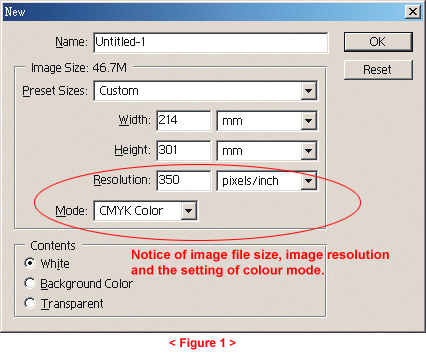
2. File must be created by CMYK colour pallet instead of RGB.
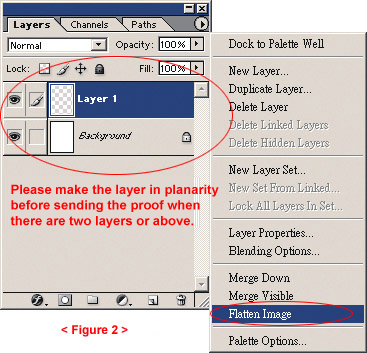
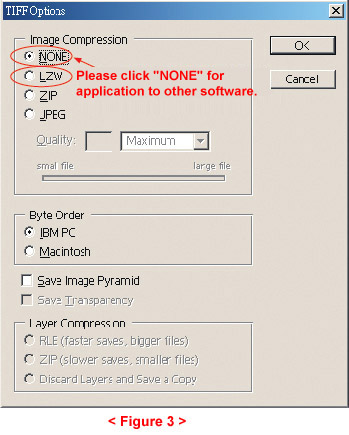
6. If archive format is TIF, please saved as "single TIF file" and click on compressed format, which will speed up the transfer process. if other softwares are needed to apply in the file, please do not click the compressed format. <Sample 3>
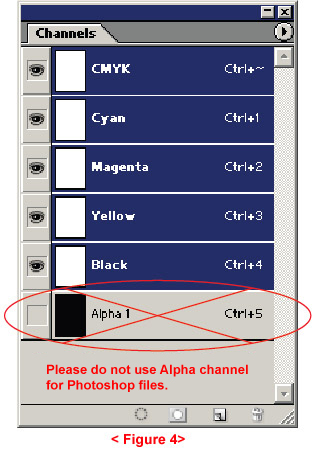
7. Don't use Alpha channel for photoshop files. <Sample 4>
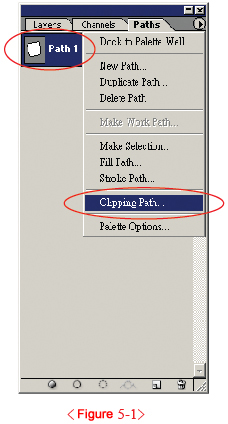
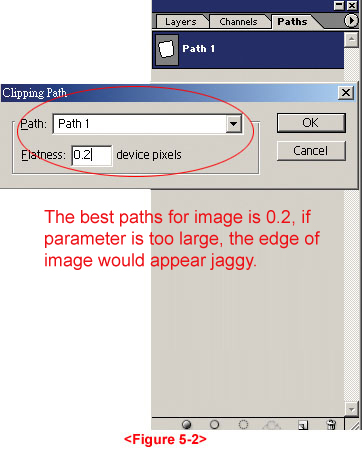
8. When "Paths" is used and put into other software with the EPS images of Photoshop, the best path is 0.2. <Sample 5>
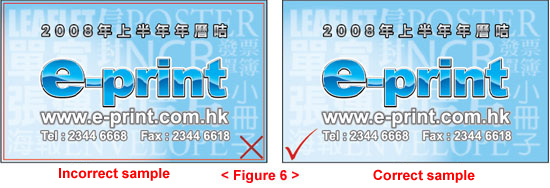
9. Do not draw cutting lines whether in business card or poster artwork, please set the trimmed size by outer frame lines and tints in K100. Do not use solid line to indicate the finished size and please merge layers for solid colour frame lines . <Sample 6>
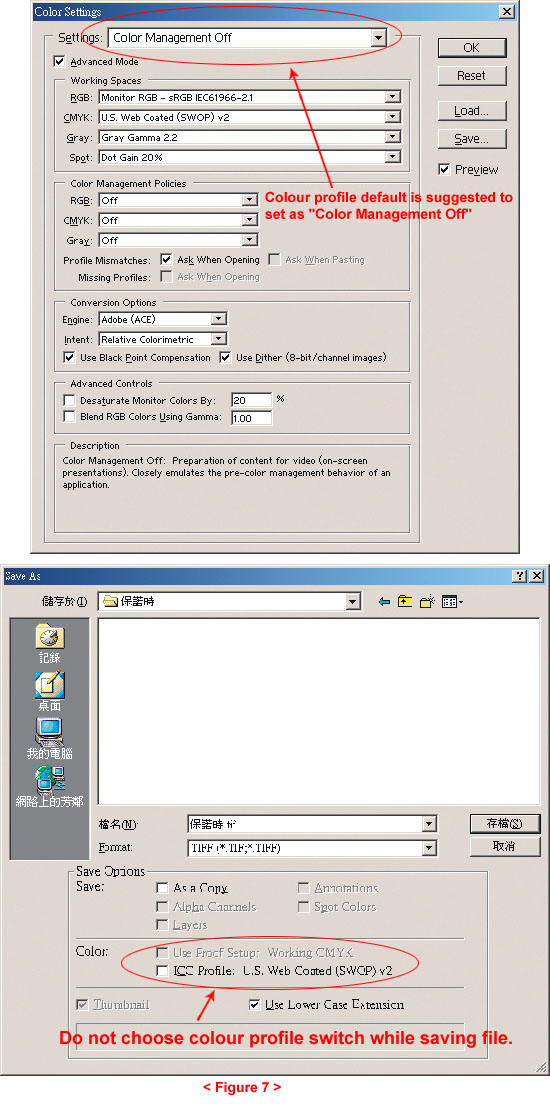
10. Please do not set the colour profile separately or check the colour profile switch in new version of Photoshop, otherwise, colour flaws would be caused . <Sample 7>